
wiremd
Wireframes in plain text.
Write a screen as Markdown, see it render as a visual mockup — no design tool, no drag-and-drop.
markdown
## Login

Email
[_____________________________]{type:email}

Password
[_____________________________]{type:password}

[Sign In]* [Forgot password?]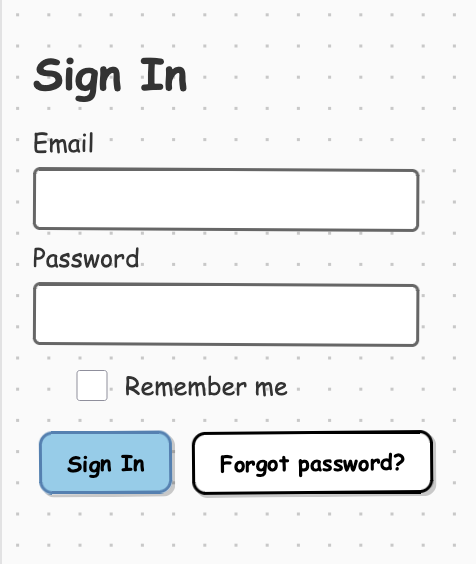
Get started
No terminal?Install the VS Code extension — open any .md file, click the preview icon. Done.
Want to describe it?Use Claude — tell Claude what screen you want, it writes and renders the wireframe for you.
CLI:
Install:
bash
npm install -g wiremdCreate my-wireframe.md, then render with live reload:
bash
wiremd my-wireframe.md --style clean --serve 3001 --watchOpen http://localhost:3001. The preview reloads as you save.
Next steps
- VS Code extension — live preview while editing
- Using with Claude — generate wireframes from descriptions
- Components — all components and attributes
- Examples — full-page wireframe templates